How to Add QR Menus as a Service for Restaurant Clients
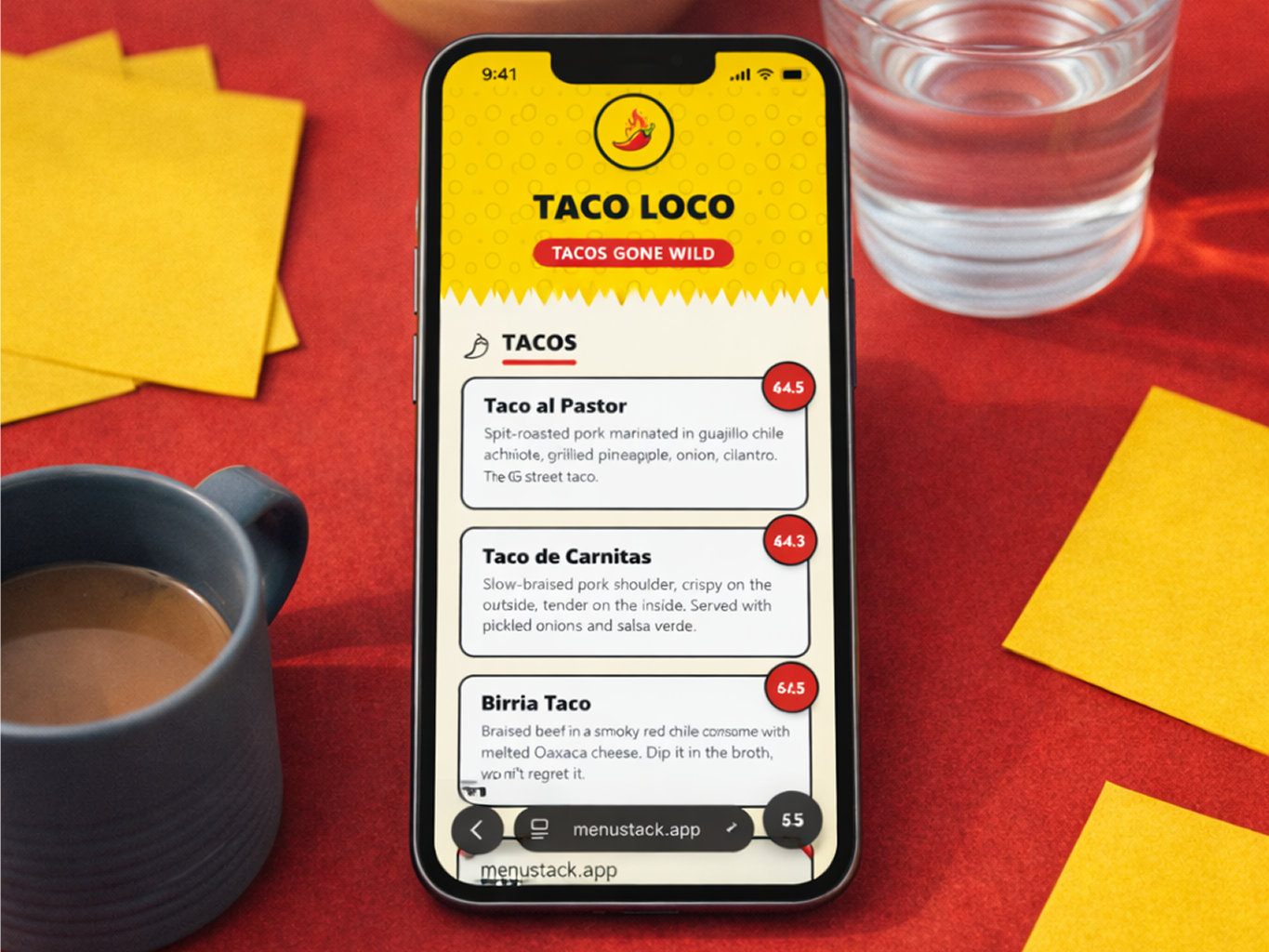
If you’re a web designer, developer, or agency working with restaurant clients, there’s a service sitting right in front of you that most competitors aren’t offering yet: QR digital menus.
It’s not a fad. Over 70% of US restaurants now use some form of digital menu, and the number keeps climbing. Yet most of those menus are poorly designed PDFs or generic platform outputs that look like they were built by someone who’s never eaten at the restaurant. That gap between demand and quality is your opportunity.
This guide breaks down how to package, price, and deliver QR menu services to restaurant clients, whether you’re a solo freelancer or running a small agency. It covers the business case, the practical setup, and what tools actually make it scalable.
Why Restaurant Clients Need Digital Menus in 2026
The Shift from PDF Menus to Interactive Digital Menus
Walk into most restaurants and you’ll see one of three things: a laminated paper menu, a QR code that links to a PDF, or a proper digital menu. The first two are rapidly becoming liabilities.
PDF menus are particularly painful. They’re unreadable on mobile without pinching and zooming, they can’t be updated without creating a new file, and they offer zero insights into customer behavior. Search engines can barely index them, which means they’re invisible to potential customers searching for nearby restaurants.
Interactive digital menus solve all of this. They’re mobile-optimized, instantly updatable, and they can include photos, dietary labels, and multiple languages. For clients, the difference between a PDF and a proper digital menu is the difference between a flyer and a website.
What Clients Are Already Asking For
If you’ve built websites for restaurants, you’ve probably heard some variation of these requests:
- “Can we put our menu on the website?”
- “We need to update our menu but don’t want to pay for a reprint.”
- “Someone told us we need a QR code.”
- “Can you make our menu look better on phones?”
Each of these is an opening to offer a dedicated QR menu service. The demand already exists, but most agencies just aren’t packaging the solution.
The Business Case for Offering QR Menu Services
Recurring Revenue vs. One-Time Projects
The biggest problem for agencies and freelancers is the feast-or-famine cycle. You finish a website project, collect payment, and then need to find the next project. QR menu services break that cycle.
A menu service brings in monthly recurring revenue through:
- Platform fees passed through to the client with your margin
- Monthly management retainers for updating menus and seasonal refreshes
- Design and setup fees for the initial build
A single restaurant client paying $50–150/month for menu management might not sound like much. But stack 10–20 of those and you’ve got $1,000–3,000 in predictable monthly income before you even touch project work.
Typical Pricing Models (and What to Charge)
Here’s what the market supports:
| Service | One-Time Fee | Monthly Fee |
|---|---|---|
| Basic menu setup (template-based) | $200–500 | – |
| Custom-designed menu | $500–1,500 | – |
| Monthly menu management | – | $50–150 |
| Setup + management bundle | $200–500 | $75–200 |
| Premium package (design + management + seasonal refreshes) | $500–1,000 | $150–300 |
Actual pricing depends on your market and the complexity of the client’s needs. A single-location cafe is different from a multi-location restaurant group. But the margins are strong because the actual platform costs are low. MenuStack Pro, for example, runs $12/month per menu (or $120/year), leaving plenty of room between your cost and what you charge.
How It Complements Your Existing Services
QR menu services aren’t a detour from your core business. They plug straight into what you already do:
- Website clients get a better menu experience integrated with their site.
- Branding clients get a menu that actually reflects the brand identity you designed.
- Marketing clients get a tool that supports local SEO and keeps customers engaged.
It makes everything else you offer more useful too.
How to Package and Pitch QR Menus
Bundling with Website Design Projects
The easiest entry point is including a digital menu setup as part of your standard restaurant website package. Instead of a static “Menu” page with a PDF download, you deliver an interactive digital menu powered by a dedicated platform.
The pitch is straightforward: “Your website menu won’t be a static PDF. We’ll set up a proper digital menu that’s mobile-optimized, easy to update, and accessible via QR code for your tables. It’s included in the project.”
Then, after the project, offer ongoing management as a monthly add-on.
Standalone Menu Service Packages
For clients who don’t need a new website, offer QR menus as a standalone service with clear tiers:
Starter ($200–400 one-time)
- Template-based menu setup
- AI-generated content with your review
- QR code generation
- 30-minute training session
Professional ($500–1,000 one-time + $75–150/month)
- Custom-designed menu matching their brand
- Professional photography integration
- Monthly update management
- Seasonal refresh (4x/year)
- Analytics reporting
Premium ($1,000–2,000 one-time + $150–300/month)
- Everything in Professional
- Multiple menus (brunch, dinner, cocktail, catering)
- Multi-language support
- Priority response time
- Quarterly strategy review
Upselling Existing Clients
If you’ve already built websites for restaurant clients, you have the warmest leads possible. Reach out with value:
“Hey [Name], we’ve been looking into digital menu solutions and think [Restaurant Name] would really benefit. Your current website menu is a PDF, which means customers are pinching and zooming on their phones. We could set up a proper QR menu that matches your brand and is easy to update. Want us to put together a quick demo?”
A personalized demo using their actual menu content works really well. Build it on a free tier, show them what it looks like, and let the product sell itself.
Setting Up Your First Client Menu
Here’s the practical workflow for delivering a QR menu to a restaurant client.
Choosing the Right Template
Most QR menu platforms offer a selection of templates designed for different restaurant types. Template selection should match the client’s brand and service style:
- A minimalist cafe gets a clean, airy template.
- A cocktail bar gets a dark, moody template.
- A family restaurant gets a warm, photo-forward template.
Spend 5 minutes reviewing options with your client, or better yet, present 2-3 recommendations with a brief rationale for each. It saves time and makes you look like you know what you’re doing (because you do).
Using AI to Speed Up Delivery
This is where you save the most time. Instead of manually entering every menu item, description, and category, an AI menu builder lets you:
- Describe the restaurant’s concept and cuisine type.
- Let the AI generate a complete menu structure with items and descriptions.
- Review and refine the output with your client’s actual dishes and prices.
For a typical restaurant menu with 30–50 items, this cuts the initial build time from 2–3 hours to about 30 minutes. That’s margin you keep.
MenuStack’s AI builder handles this particularly well. Describe the restaurant in natural language, and it generates categories, items, descriptions, and even price suggestions based on the concept. From there, you swap in real dishes and adjust to match.
Handing Off Management to the Client
After launch, decide on the management model:
Option A: You manage everything. The client sends update requests (email, form, or message), and you make changes within your SLA. This is the higher-touch, higher-revenue approach.
Option B: You set up, they manage. Train the client to make their own updates. You’re available for larger changes or design refreshes. This works for clients who want control and have someone on staff comfortable with basic technology.
Option C: Hybrid. The client handles day-to-day changes (prices, sold-out items), and you handle larger updates (seasonal redesigns, new sections, photography integration).
Most agencies find that Option C works best. It gives clients the autonomy they want for urgent changes while keeping you involved for the work that requires design skills.
Scaling Your QR Menu Service
Managing Multiple Client Menus
As you take on more clients, organization becomes important:
- Standardize your intake process. Create a menu content questionnaire that clients fill out before you start: categories, items, descriptions, prices, dietary labels, photos.
- Build a launch checklist. Every menu goes through the same quality assurance steps before going live.
- Set update rhythms. Weekly check-ins for active menus, monthly for stable ones.
- Track everything. A simple spreadsheet or project management tool listing each client, their menu status, last update date, and next scheduled update.
Thinking About Scale
Once you’ve proven the model with 5–10 clients, you can start thinking bigger:
- Hire a virtual assistant to handle routine menu updates while you focus on new client acquisition.
- Create a referral program offering existing clients a discount for referring other restaurant owners.
- Partner with local restaurant associations to offer group rates and position yourself as the go-to provider.
- Develop a case study from your most successful client to use in your marketing.
The nice thing is that it compounds. Each new client adds to your recurring revenue without adding much to your workload, especially with the hybrid and self-managed models.
Getting Started
You don’t need to build out a full service line before landing your first client. Start simple:
- Sign up for a free account on a platform like MenuStack and explore the templates and AI builder.
- Build a demo menu for a restaurant you’d like to work with, using publicly available menu information.
- Show the demo to that restaurant owner and gauge interest.
- Deliver the first menu and use the experience to refine your process.
- Package and price based on what you learned.
The first client is the hardest. After that, you have a reference and a process you can repeat. Give it 3-6 months and this can easily become your most predictable income source.