QR Menus for Bars and Pubs: How to Make Them Work
Bars and pubs aren’t restaurants. That sounds obvious, but most QR menu advice treats every venue the same, as though a cocktail bar and a family Italian place have identical needs. They don’t. Bars deal with dim lighting, drink-heavy menus that change constantly, customers who are standing or moving between areas, and a pace of service that doesn’t leave room for fumbling with technology.
That said, QR menus can work really well in bars and pubs when they’re set up properly. You just have to understand what makes a bar different and design around those constraints instead of ignoring them.
Why Bars Should Consider QR Menus
But first, why bother at all? Bars have a few things going on that actually make QR menus more useful than they are in traditional restaurants.
Menus Change Constantly
Most restaurants update their menu a few times a year. Bars? Weekly at minimum. Rotating taps, seasonal cocktails, limited-run spirits, happy hour specials. The drink list is a living document. Reprinting menus every time a keg kicks is expensive and wasteful. A digital menu updates instantly, which means your customers always see what’s actually available.
Customers Are Already on Their Phones
Unlike a fine dining setting where phone use might feel out of place, bar patrons are already scrolling, texting, or looking up the score of the game. Scanning a QR code fits right in.
Staff Are Busy
During a Friday rush, your bartenders don’t have time to walk someone through the cocktail list. A well-organized digital menu answers questions before they’re asked (ingredients, prices, descriptions) so your staff can focus on making drinks and keeping the flow moving.
Multiple Menu Zones
Many bars operate different menus depending on the area: main bar, patio, rooftop, late-night window. Managing print menus across multiple zones is a logistical headache. QR codes can point to different menus for different areas, or a single menu that covers everything with clear sections.
The Challenges (and How to Solve Them)
Bars also present some real obstacles for QR menus. Ignoring these leads to a poor experience that drives customers back to asking the bartender, or worse, ordering the same safe thing they always do because they couldn’t find what they wanted.
Dark Lighting and QR Scanning
This is the number-one complaint about QR menus in bars. Dim lighting makes QR codes harder to scan. Modern phone cameras are better at this than they used to be, but there’s still a threshold.
Solutions:
- High-contrast QR codes. Black on white with a generous quiet zone (the white border around the code). Skip the colored or stylized QR codes. In low light, contrast is everything.
- Larger codes. Go bigger than you think necessary. A 3-inch minimum works for well-lit restaurants; aim for 4 inches or larger in bars.
- Backlit displays. Acrylic stands with a small LED backlight, or QR codes printed on illuminated table numbers. This is a small investment that eliminates most scanning issues.
- Reflective or glow-in-the-dark materials. Some bars print QR codes on reflective surfaces that catch ambient light. UV-reactive ink under black lights is another option for venues that use them.
- NFC tags as backup. Near-field communication tags let customers tap their phone against a sticker instead of scanning. Works in complete darkness.
Screen Brightness in Dark Rooms
Once someone has the menu open, there’s a secondary issue: a bright white screen in a dark bar is blinding and kills the ambiance for everyone nearby.
Solutions:
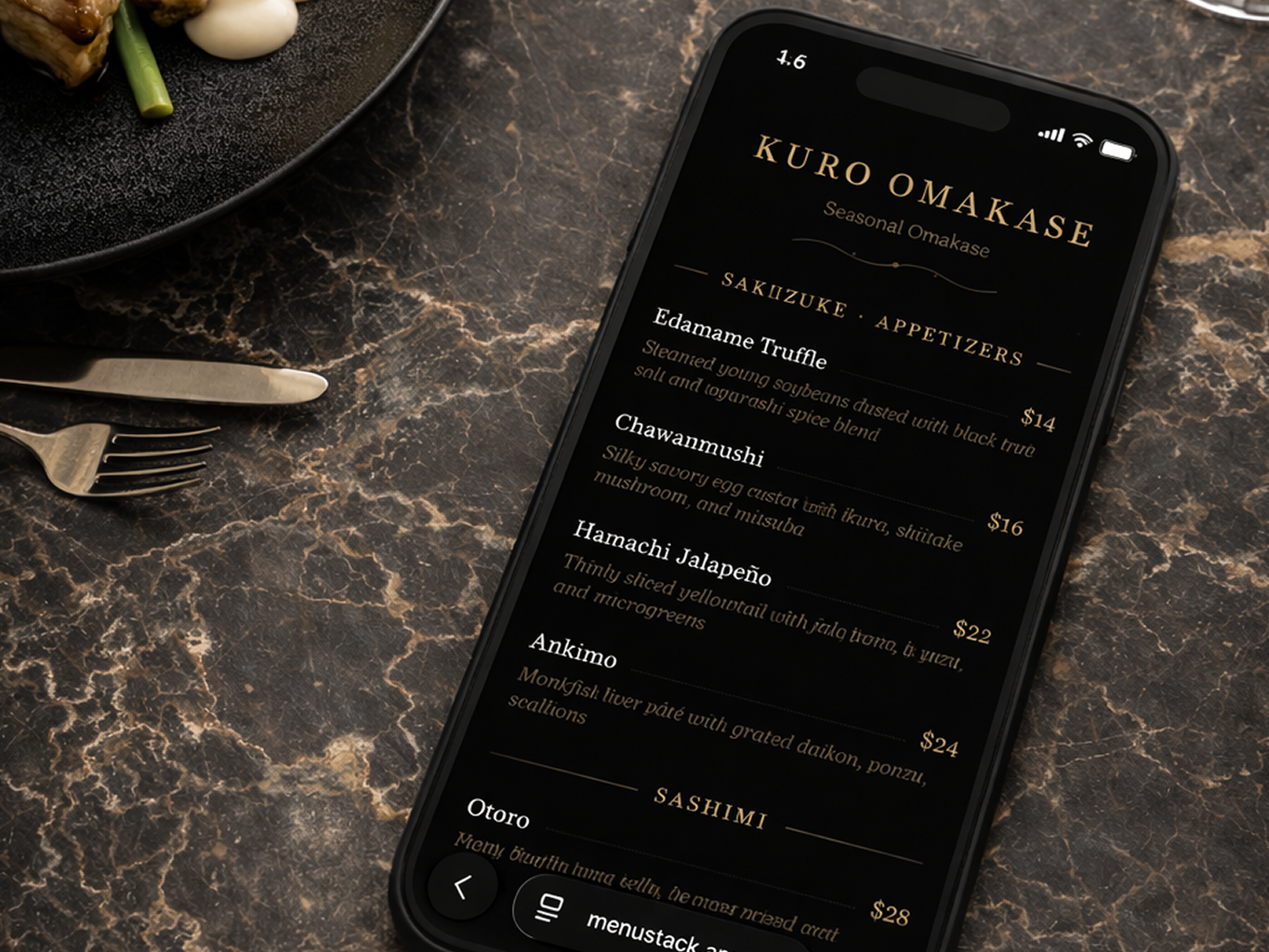
- Dark mode menus. This is non-negotiable for bars. Your digital menu should use a dark background with light text. It’s easier on the eyes in dim settings and doesn’t light up the room like a flashlight.
- Muted colors. Avoid bright whites and neon accent colors. Deep grays, warm ambers, and muted tones work well.
- Keep it simple. Fewer elements on screen means less light blasting out overall.
Drunk or Impatient Customers
Let’s be honest: bar patrons aren’t always sober, and they’re rarely patient. A QR menu that takes three taps to find the beer list is going to get abandoned.
Solutions:
- Flat navigation. Put all major categories visible on the first screen, no nested submenus.
- Large tap targets. Bigger buttons, more spacing. This helps everyone, but especially people a few drinks in.
- Fast load times. If your menu takes more than 2-3 seconds to load, most bar customers will give up.
Organizing a Drink-Heavy Menu
Restaurant menus have a predictable structure: appetizers, mains, desserts. Bar menus are more complex because drink categories overlap, and the way customers think about what they want is different.
Category Structure That Works
Here’s a structure that works well for most bars:
- Featured / Specials (house cocktails, seasonal drinks, promotions; put your highest-margin items first)
- Cocktails (subdivided by spirit base or style if the list is long)
- Beer (subdivided into draft and bottles/cans, with rotating taps clearly marked)
- Wine (by glass and bottle)
- Spirits (if you offer neat pours or have a notable selection)
- Non-Alcoholic (mocktails, soft drinks, coffee)
- Food (if applicable: bar snacks, late-night bites)
Handling Rotating Taps
Rotating taps are one of the strongest arguments for going digital. When a keg blows at 9 PM on a Saturday, you can remove it from the menu in seconds. No more crossing things out on a chalkboard or telling every customer who orders it that it’s gone.
Some practical approaches:
- Dedicated “On Tap” section at the top of the beer category, clearly labeled as “currently available.”
- Brief descriptions for each tap: brewery, style, ABV, and tasting notes. Most customers scanning a tap list want to know if a beer is hoppy, malty, light, or dark.
- Regular update schedule. Assign someone to update the digital menu when taps change. It takes 30 seconds, but someone needs to own it.
Daily Specials and Happy Hour
If you run happy hour pricing or daily specials, there are two approaches:
- Separate happy hour menu. Create a second menu that’s only active during specific hours. Use a different QR code at the bar during happy hour, or simply swap the menu linked to your existing QR code.
- Integrated specials section. Add a “Happy Hour” or “Today’s Specials” section at the top of your regular menu. Update it daily.
The first approach is cleaner. The second is easier if you don’t want to manage multiple QR codes.
Multiple Menus for Different Zones
Many bars serve different menus in different areas. The rooftop has a simplified drink menu. The main bar has the full list. The late-night window has a limited food and drink menu. Here’s how to handle this:
One QR Code Per Zone
The simplest approach: create separate menus for each zone and put the corresponding QR code in each area. Customers in the rooftop area see the rooftop menu. Main bar customers see the full menu.
One Menu With Clear Sections
If the overlap between zones is significant, a single comprehensive menu with clear section headers can work. Label sections explicitly: “Available at the Main Bar,” “Rooftop Only,” etc. This works best when the differences are small.
Time-Based Menus
Some bars shift their entire operation at a certain hour (full menu until 10 PM, then a late-night menu kicks in). Digital menus handle this automatically. Schedule the switch, and every QR code in the venue automatically points to the current menu.
Design Tips Specific to Bars
Beyond dark mode (which was already covered above), there are some design choices that work especially well in bar environments.
Typography
- Sans-serif fonts for readability on small screens.
- Generous font sizes. If anything, err on the side of larger. People are reading in the dark, possibly after a drink or two.
- Clear price alignment. Prices should be easy to find, not buried at the end of a description. Right-aligned prices next to item names is the standard for a reason.
Photography
Photos on a bar menu are a double-edged sword. A great cocktail photo can drive orders. A bad photo, or too many photos, slows the page down and clutters the experience.
- Use photos for signature cocktails or featured items only.
- Skip photos for standard items (house wine, well drinks, domestic beer).
- Make sure photos look good on a dark background.
Descriptions
Keep descriptions short, one line for most items. Cocktail descriptions should focus on the primary spirit and flavor profile: “Bourbon, honey, lemon, angostura bitters” tells a customer everything they need in six words. Save the poetry for the chalkboard.
QR Code Placement in Bars
Placement matters more in bars than in restaurants because the environment is less structured. People aren’t always sitting at a table with a menu in front of them.
At the Bar Counter
- On the bar top itself, embedded under a clear epoxy coating, or printed on a durable sticker.
- On small acrylic stands at intervals along the bar. Every 3-4 seats is a good spacing.
- On coasters. Functional and visible. Replace them regularly since they take a beating.
At Tables and Booths
- Table tents, the standard approach, works well.
- Embedded in table numbers. If you use table number stands, add the QR code to them.
- On the wall near booths, especially in dim areas where a table-top QR might be hard to see.
At Entry Points
- A sign near the door with the QR code lets customers browse the menu while waiting for a seat or a spot at the bar.
- On the window for passersby, which doubles as marketing.
Don’t Forget the Bathroom
Seriously. A QR code in the bathroom is a surprisingly effective placement. People have their phones, they have time, and they’re thinking about what they want to drink next.
Getting Staff on Board
Bar staff can make or break QR menu adoption. If your bartenders think the QR menu is annoying, they’ll never mention it to customers.
Frame It as a Time-Saver
The pitch to staff isn’t “we’re replacing you with technology.” It’s “this handles the questions so you can focus on making drinks and earning tips.” When customers can browse the menu themselves, bartenders spend less time reciting the tap list and more time actually talking to people.
Keep a Human Fallback
Not every customer will want to scan a QR code. Some prefer to ask. That’s fine. QR menus should reduce the load on staff, not replace talking to people. Make sure bartenders still know the menu and can make recommendations. The best bars still have bartenders who know the menu cold and can point someone toward the right drink.
Encourage Mentions
A simple “Our full menu is on the QR code right there, but happy to help if you have questions” is the perfect script. It’s not pushy, it points people to the resource, and it leaves the door open for conversation.
Common Mistakes to Avoid
Using the same menu design as a restaurant. White backgrounds, small text, and complex navigation don’t work in a bar environment. Design specifically for the venue.
Forgetting to update rotating items. A digital menu with yesterday’s tap list is worse than no digital menu at all. It erodes trust. Build the update into your opening or shift-change routine.
Overcomplicating the categories. “Craft IPAs,” “Session IPAs,” “New England IPAs.” Most customers don’t want this level of granularity. Keep categories broad and use descriptions for specifics.
Ignoring the non-drinker. Non-alcoholic options are growing fast. Give mocktails, NA beers, and soft drinks their own visible section instead of burying them at the bottom.
Skipping the call-to-action. A QR code without context gets ignored. Add text: “Scan for our full menu” or “See tonight’s tap list.” Tell people what they’ll get.
Making the Switch
If your bar is currently using chalkboards, printed menus, or nothing at all, the transition to QR menus is straightforward:
- Start with the drink menu. Don’t try to digitize everything at once. Get the core drink list online first.
- Pick a platform that supports dark mode. This isn’t optional for bars. MenuStack, for example, offers templates designed for exactly this kind of environment: dark backgrounds, clean typography, mobile-first layouts.
- Print QR codes and place them. Start with the bar counter and tables. Add more locations as you see how customers interact.
- Assign someone to own updates. Whether it’s the bar manager or a shift lead, someone needs to be responsible for keeping the digital menu current.
- Gather feedback. Ask regulars what they think. Watch how new customers interact with the codes. Adjust placement and design based on real behavior.
The bars that get the most value from QR menus are the ones that treat them as a living part of the operation, not a set-it-and-forget-it project. Keep the menu fresh, make it easy to scan in the dark, and design for how people actually behave in a bar. That’s the whole formula.