Paper vs. Digital Menus: An Honest Comparison for Restaurant Owners
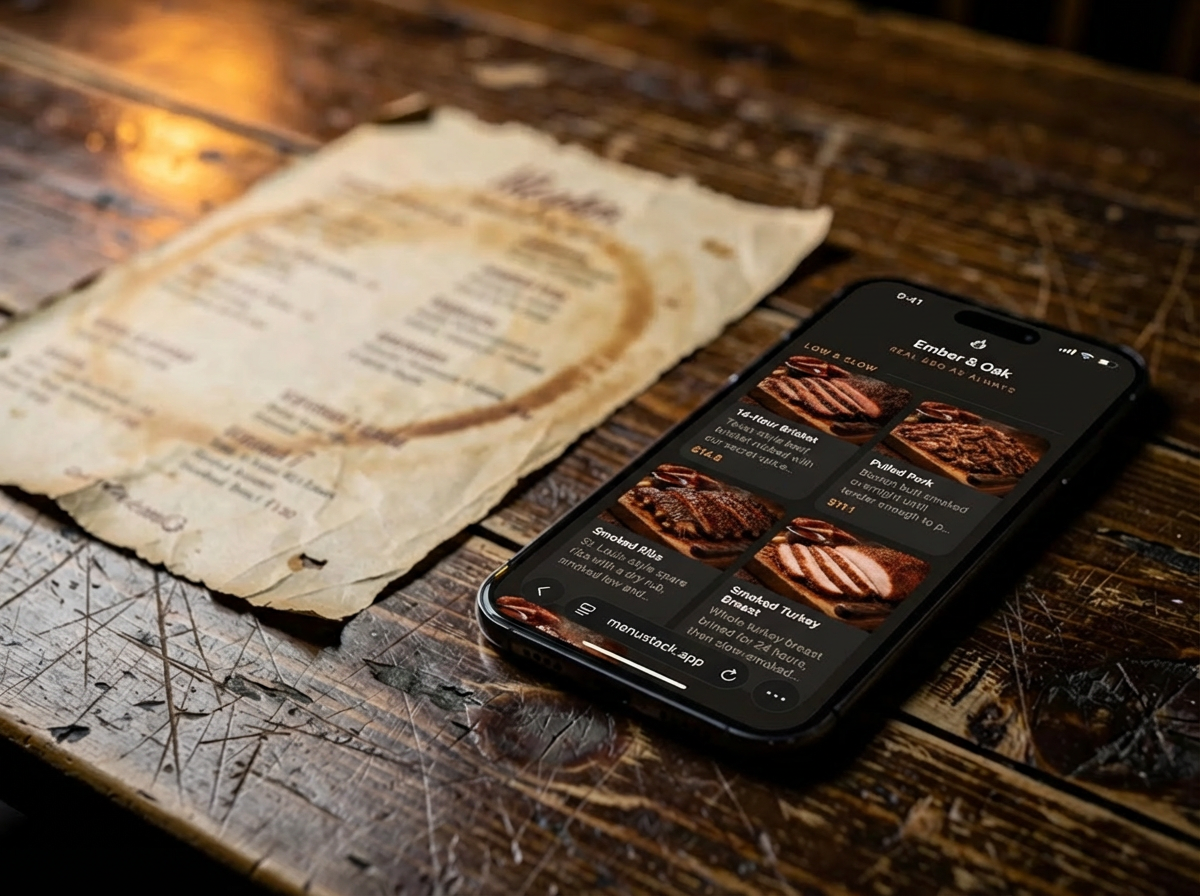
The paper menu vs. digital menu debate has been going on since QR codes started showing up on restaurant tables. Depending on who you ask, digital menus are either the future of dining or an annoying trend that ruins the restaurant experience.
The reality is less dramatic than either side makes it sound. Both formats have real strengths, and the right choice depends on your restaurant type, your customers, and your operations. This isn’t a takedown of paper menus or a sales pitch for digital ones. It’s an honest look at when each format works, and why most restaurants end up benefiting from some version of both.
The Cost Comparison
Paper Menu Costs Over Time
Paper menus come with costs that are easy to underestimate because they’re spread out over time:
- Initial design: $200–500 for a professional layout, or free if you DIY it (with predictable results).
- Printing: $3–8 per menu for quality card stock. For a 50-seat restaurant with seasonal menus, that’s $150–400 per print run.
- Reprints: Every price change, new item, or seasonal update requires a new print run. Most restaurants reprint 2–4 times per year, sometimes more.
- Wear and tear: Menus get stained, torn, and generally beaten up. Replacing damaged menus is an ongoing cost.
- Opportunity cost: Every time a menu item changes, there’s a lag between the decision and the printed update. During that window, servers have to verbally correct the menu.
For a typical restaurant doing quarterly reprints, annual paper menu costs run $800–2,000 or more. High-end restaurants with leather-bound menus or elaborate designs spend considerably more.
Digital Menu Costs
Digital menus have a different cost structure:
- Platform fee: Free to $15/month depending on features. MenuStack, for example, offers a free tier with unlimited menus and several templates, with Pro features at $12/month per menu.
- Initial setup: Free if you do it yourself, or $200–500 if you hire a designer.
- Updates: Free and instant. No printing, no lag.
- QR code materials: $20–50 for table cards, stickers, or signage, a one-time cost.
Annual cost for a single-location restaurant: roughly $0–200 on a free tier, or $144–180/year on a paid plan. That’s a lot less than paper in most cases, and the gap gets bigger with every menu change.
Total Cost of Ownership
Over three years, a restaurant doing quarterly menu updates might spend:
- Paper: $2,400–6,000 (design + printing + reprints + replacements)
- Digital: $0–540 (platform fees + initial QR materials)
The cost advantage of digital is clear. But cost isn’t everything. Let’s look at what actually matters more: the customer experience.
Customer Experience
Who Prefers Digital Menus
Digital menus work well for a lot of diners, and the number keeps growing:
- Younger demographics (under 45) are generally comfortable with QR codes and prefer the convenience of viewing a menu on their own phone.
- Tech-savvy diners appreciate features like dietary filters, search, and photos.
- International visitors benefit from multi-language support that would be impractical in print.
- Health-conscious diners want easy access to allergen information and dietary labels.
- Time-pressed customers at casual or fast-casual spots prefer scanning and browsing at their own pace.
Multiple surveys show that 60–70% of diners are now comfortable using QR code menus. That number has climbed steadily since 2020 and shows no sign of reversing.
Who Prefers Paper Menus
Paper menus still have an audience, and ignoring that audience is a mistake:
- Older demographics may find QR codes confusing or frustrating. Not everyone has a smartphone, and not everyone who does wants to use it at dinner.
- Fine dining patrons often expect a physical menu as part of the experience. The weight of the paper, the typography, the presentation. These are part of the experience.
- Diners seeking a phone-free experience actively resist pulling out their device at the table. For some, dining out is an escape from screens.
- Groups and families sometimes find it easier to share a physical menu than to have everyone squinting at individual phones.
Writing these people off as old-fashioned is a mistake. You’re in hospitality. Your job is to meet customers where they are.
Accessibility Considerations
Both formats have accessibility strengths and weaknesses:
Paper advantages:
- No technology barrier
- Familiar format for all ages
- Works without battery, signal, or a smartphone
Digital advantages:
- Adjustable text size (critical for low-vision diners)
- Screen reader compatibility when built properly
- High-contrast mode options
- Multi-language support without reprinting
A well-built digital menu can actually be more accessible than a paper one for diners with visual impairments. But “well-built” is doing heavy lifting in that sentence. A PDF uploaded behind a QR code is worse than paper on every accessibility metric.
Operational Benefits
This is where digital menus pull clearly ahead for most restaurants.
Real-Time Updates
The single biggest operational advantage of digital menus: changes happen instantly.
- Sold out of something? Remove it from the menu in seconds. No more servers apologizing that “the salmon is actually unavailable tonight.”
- Price increase? Update it once and it’s live everywhere.
- New special? Add it to the menu without printing a separate insert.
- Seasonal rotation? Swap entire sections in minutes, not weeks.
For restaurants with frequently changing menus (farm-to-table spots, seafood restaurants dependent on daily catches, bars with rotating taps), real-time updates aren’t just convenient. They’re operationally necessary.
Multi-Location Consistency
Restaurants with more than one location know the pain of keeping menus synchronized. Paper menus require separate print runs, separate proofing, and separate distribution for each location. Digital menus update everywhere at once, with per-location customization where needed.
Seasonal and Daypart Flexibility
Some restaurants serve different menus for brunch, lunch, and dinner. With paper, that means printing and managing three separate menus. Digitally, you can schedule menus to switch automatically or toggle between them with a tap.
Marketing and Data Benefits
Analytics and Customer Insights
Paper menus tell you nothing about customer behavior. Digital menus can show you:
- Which menu sections get the most views
- Which items customers look at but don’t order
- Peak browsing times
- How long customers spend on each section
This data is useful in ways that paper never could be. If your highest-margin pasta dish is buried in a section nobody scrolls to, you can move it. If customers are spending 30 seconds on your drinks menu and leaving, maybe the descriptions need work.
SEO and Online Visibility
A properly built digital menu adds searchable content to your web presence. Instead of a PDF that search engines can barely read, you have indexable pages with item names, descriptions, and categories.
“Gluten-free pizza,” “craft cocktails downtown,” “vegan brunch menu.” These are all search terms that potential customers use. A digital menu can help you show up for them. A paper menu, obviously, cannot.
Upselling Opportunities
Digital menus can include high-quality photos, which paper menus often can’t (or can only do expensively and with limited resolution). Menus with photos see measurably higher order values because customers can see what they’re ordering. A well-photographed dessert section is one of the most effective upselling tools a restaurant can deploy.
Where Paper Menus Still Win
Paper still has real strengths, and it’s worth acknowledging them.
The Tangible Experience
A beautifully designed physical menu just feels different. The texture of the paper, the heft of a leather-bound wine list, the way a well-set table looks with menus at each place setting. For fine dining and high-end cocktail bars, the physical menu is part of the theater of the experience.
Digital can’t replicate this. A phone screen, no matter how well-designed the menu on it, doesn’t have the same sensory impact.
No Technology Friction
Paper menus require zero instructions. Hand it to someone and they know what to do. QR codes, despite being ubiquitous, still create a small friction point: opening the camera, scanning, waiting for the page to load, possibly dealing with slow WiFi. For most diners this is trivial, but it’s not zero.
Power and Connectivity Independence
Paper menus work when the WiFi is down, when the customer’s phone is dead, and when the cellular signal is weak. In practice, this rarely matters, but when it does, it matters a lot.
The Hybrid Approach: Why You Don’t Have to Choose
Here’s the conclusion most restaurants land on after thinking this through: you don’t have to pick one or the other.
Digital Primary, Paper Backup
The most common hybrid approach:
- Digital is the default. QR codes on tables, at the host stand, and on the website. This is how most customers will access the menu.
- Paper is available on request. Keep a small stock of printed menus for customers who prefer them. These don’t need to be fancy. A clean, well-formatted printout works.
- Paper for specific contexts. Wine lists, tasting menus, and special event menus can still be physical when the experience calls for it.
You get the operational and cost benefits of digital without alienating customers who prefer paper. Both formats, weighted toward digital.
When to Keep Paper as Primary
A few scenarios where paper should remain the main format:
- Fine dining where the physical menu is a deliberate part of the experience
- Restaurants with predominantly older clientele who may find QR codes frustrating
- Very small menus (under 10 items) where a simple table card is more practical than a digital menu
- Establishments where phone use is discouraged as part of the concept (some restaurants are leaning into “phone-free dining” as a selling point)
Even in these cases, having a digital version available online, for pre-visit browsing and SEO purposes, still makes sense.
Making the Transition
For restaurants currently using only paper menus, here’s a practical path to adding digital:
Start Small
Don’t eliminate paper menus overnight. Instead:
- Set up a digital menu on a platform like MenuStack using the free tier. This costs nothing and takes less than an hour.
- Place QR codes alongside existing paper menus. Let customers choose their preferred format.
- Monitor adoption. Track how many customers use the digital menu versus paper over 2–4 weeks.
- Adjust gradually. As digital adoption grows, reduce the number of printed menus you keep on hand.
Common Transition Mistakes
- Removing paper menus too quickly before customers are comfortable with the change
- Using a PDF as your “digital menu”, which gives customers the worst of both worlds (phone screen + unreadable formatting)
- Poor QR code placement that makes scanning awkward or unclear
- Not training staff on how to help customers who are unfamiliar with QR codes
Measuring Success
After 30 days, evaluate:
- What percentage of customers use the digital menu?
- Has the number of “menu update” tasks decreased?
- Are you saving on printing costs?
- Have you received any customer complaints (positive or negative)?
Most restaurants find that 60-80% of customers switch to digital within the first month, as long as you don’t rush it.
The Bottom Line
Paper menus aren’t going away, and they shouldn’t. They have a legitimate place in dining, especially in contexts where the physical experience matters.
But for the majority of restaurants (casual dining, fast-casual, cafes, bars, food trucks, and everything in between), digital menus offer clear advantages in cost, flexibility, and customer experience. The operational benefits alone (instant updates, no reprints, multi-language support) are hard to argue with.
The restaurants that get this right aren’t the ones that pick a side. They’re the ones that use each format where it’s strongest: digital for daily operations and accessibility, paper for ambiance and hospitality. Start with digital as the foundation, keep paper where it actually adds something, and pay attention to what your customers reach for.